Session path
Encrypted
Commands and telemetry stay on a protected route.
Secure mobile control for OpenClaw
PumaClaw gives approved operators a composed mobile control surface for OpenClaw. Start sessions, watch live state, approve sensitive actions, and close access without exposing the runtime.
Session path
Commands and telemetry stay on a protected route.
Decision gate
Operators, devices, and risky actions are checked.
Audit trail
Alerts, logs, and lockouts remain reviewable.
Mobile Control
Start and stop sessions, switch modes, and check status from iOS or Android.
Store sensitive logs in encrypted storage and control what gets shared or deleted.
Require MFA, trusted devices, timeouts, and emergency lockouts for risky actions.
Runtime
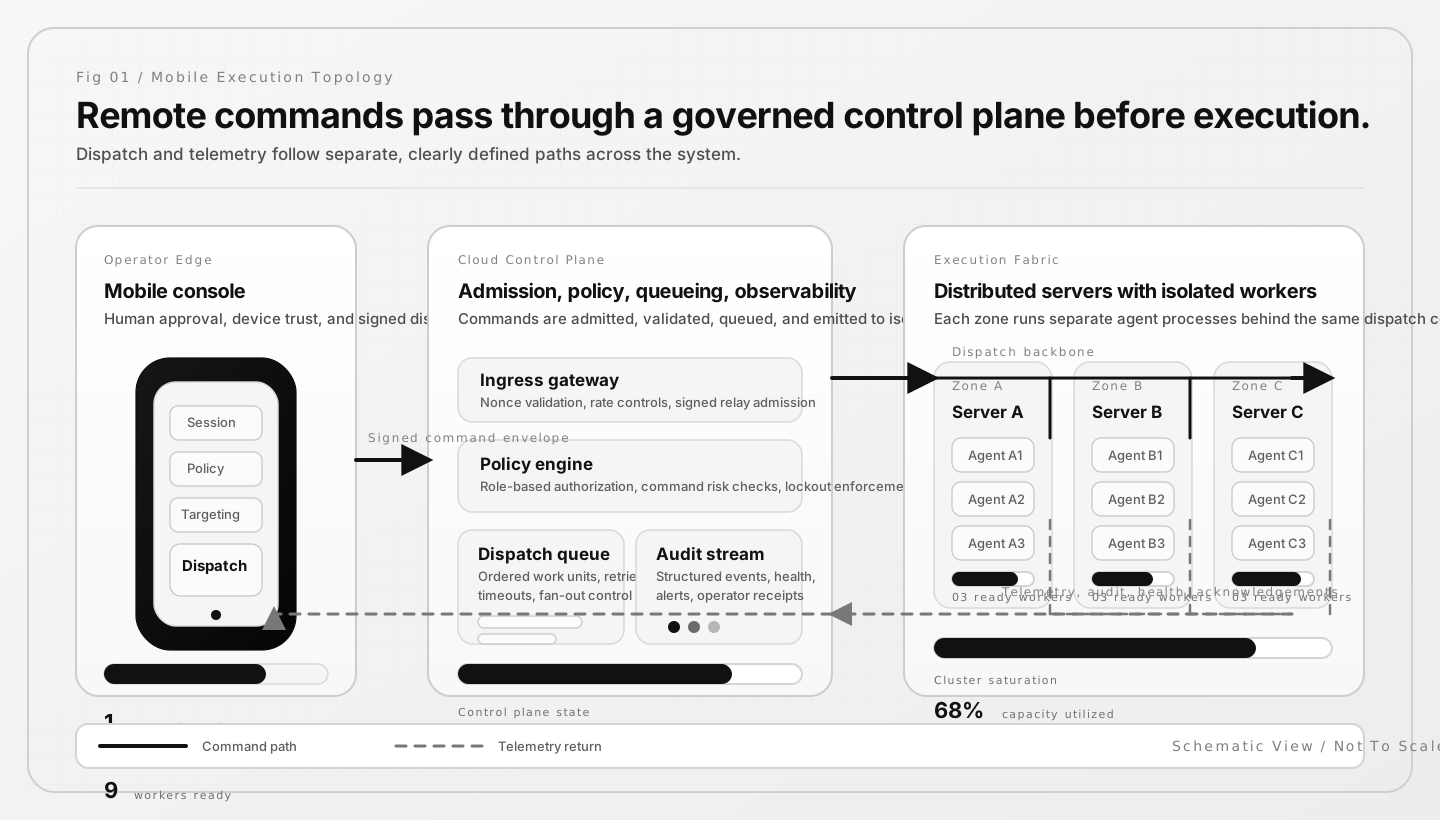
nemoclaw uses a versioned blueprint to set up
the sandbox, gateway, inference, and policy layers. OpenClaw runs inside
that environment with routed NVIDIA inference, limited file access, and
network access that can require approval.
Security
Every mobile action is checked against the device, the operator, and the risk of the action before it runs.
Setup
Link OpenClaw, then choose which operators and devices are allowed in.
Set MFA, roles, geofencing, and limits for sensitive commands.
Run failure drills and attack tests before operators depend on it.
Run OpenClaw from mobile with live monitoring, alerts, and clear logs.
Powered By
PumaClaw is part of the same family as PumaAI.com and Puma Browser.
Early access
We will follow up with fit, rollout path, and private access details.
Open operator console Email PumaAI
